
View from Above: The Daylight tool and why lighting matters
The DronePrep team are excited to share that we have just released a host of cool new features on the DronePrep platform, including the important buildings dataset and a railway buffer zone. But perhaps the most exciting tool, particularly for photographers or those just looking to snap a few shots while out flying, is the Daylight tool.
The Daylight tool displays not only sunrise and sunset, but also where daylight and shadows fall at different times of the day, throughout the calendar year.
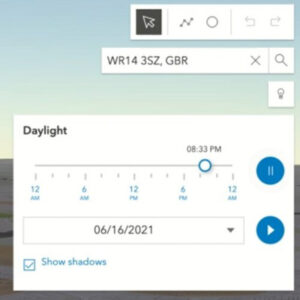 How do I use it?
Make sure the map is in 3D view (button on the left), then click on the light bulb icon under the search bar on the right-hand side of the map display. Choose the date and time, then simply move the slider to see how sunlight affects the map, or hit the play button to watch a time lapse. You can also tick the “show shadows” box to display those all-important shadows – stay tuned for our next update, when we’ll be adding 3D-buildings (and their shadows).
What’s the big deal?
We love the Daylight tool, and if you still haven’t tried it, you might be wondering why. To demonstrate the significance of mapping natural light, we asked our pilot in residence and aerial photographer Chris Gorman how he prepares for a photoshoot. Chris took this shot of Stonehenge during the summer solstice in 2018 (due to lockdown restrictions, access to the stones is prohibited this year).
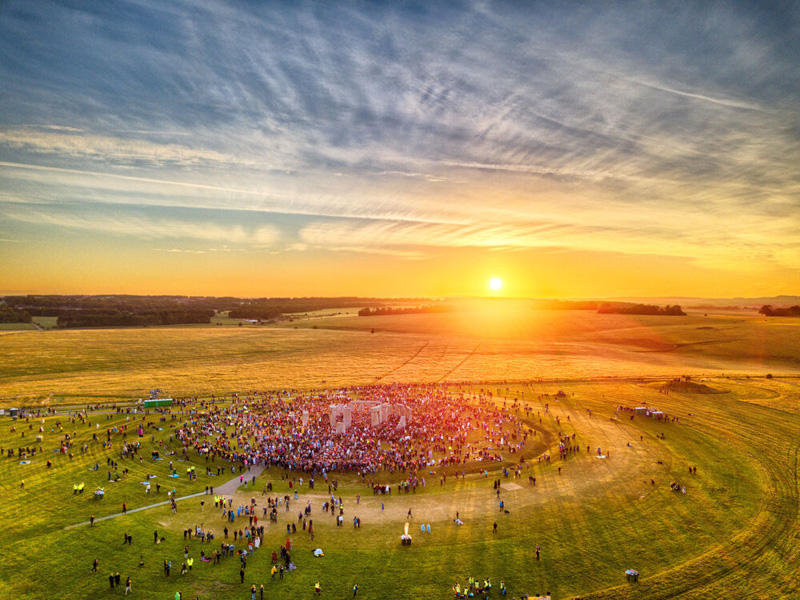
“This image was summer solstice 2018, the only solstice in recent years to actually see a perfect sunrise. As a photojournalist and picture editor, I’ve seen a mountain of pictures of the solstice over the years, which are all pretty much the same. Usually silhouettes of people with the stones behind, people cuddling the stones, etc. As a newly qualified (PFCO) drone pilot it occurred to me that the scene had never been photographed from the air. Working out where the sun would rise was my first challenge. All I had to go on was that in the UK, the sun rises in the North East. So I roughly planned my image with this in mind. Without the use of actual precise information, I wouldn’t know the exact position of the sun until I arrived at 4.45am. This is where DronePrep’s Daylight tool would come into its own. The image is shot HDR (High Dynamic Range), this is 6 frames exposed one stop apart and then blended together resulting in an image as the eye saw it. The final image was published in the The London Evening Standard, Daily Telegraph, The Times, The Daily Mirror, The Guardian and The Daily Mail, The New Zealand Herald and many more.”
– Chris Gorman, The Big Ladder Photographer.
Like the new Daylight tool? Tag us on social with any pictures or videos. We’d love to hear feedback on the new features, if you have ideas or comments, get in touch through the usual channels below.
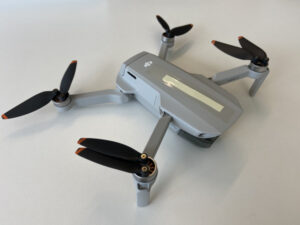 I’m sure the majority of pilots would agree: it’s better to have a smaller, less powerful drone with you most of the time than to have a slightly bigger, better one at home that rarely makes an appearance out of its case… With the specifications from this dinky drone, you have professional 4K quality photos and videos from a device that fits in your glove compartment …and is about the same size as the battery from a Phantom drone.
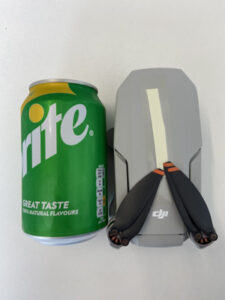 Another noticeable difference for me was the noise levels. Flying the DJI Phantoms, I would quite often attract a small crowd, pointing upwards at the drone, even when it was close to its maximum height. The Mini 2 is much quieter – so much so that when I tried to engage my 1-year old son’s attention with the drone, flying safely around him, there was no reaction at all and he was quite content to carry on with his picnic as if nothing was happening.
 The winners of the 2021 Airwards were announced this week, marking a world-first in recognition of the fantastic work of key players in the drone industry.
 We are thrilled to welcome Beth to the DronePrep team as our new Marketing Manager.